Complete and review reporter drafts before opening the pitch's Send view.
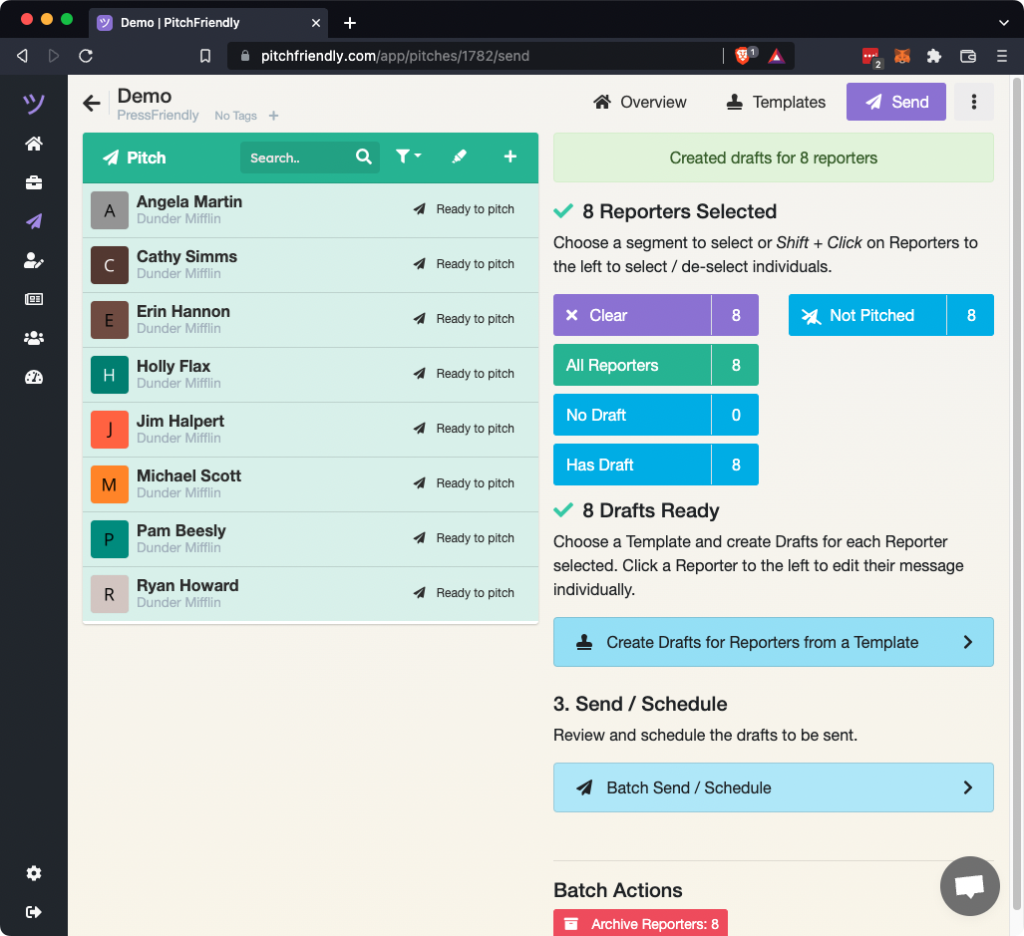
Select reporters with ready drafts
Choose All Reporters or another segment. PitchFriendly confirms whether the selected reporters have drafts. Select Batch Send / Schedule to continue.
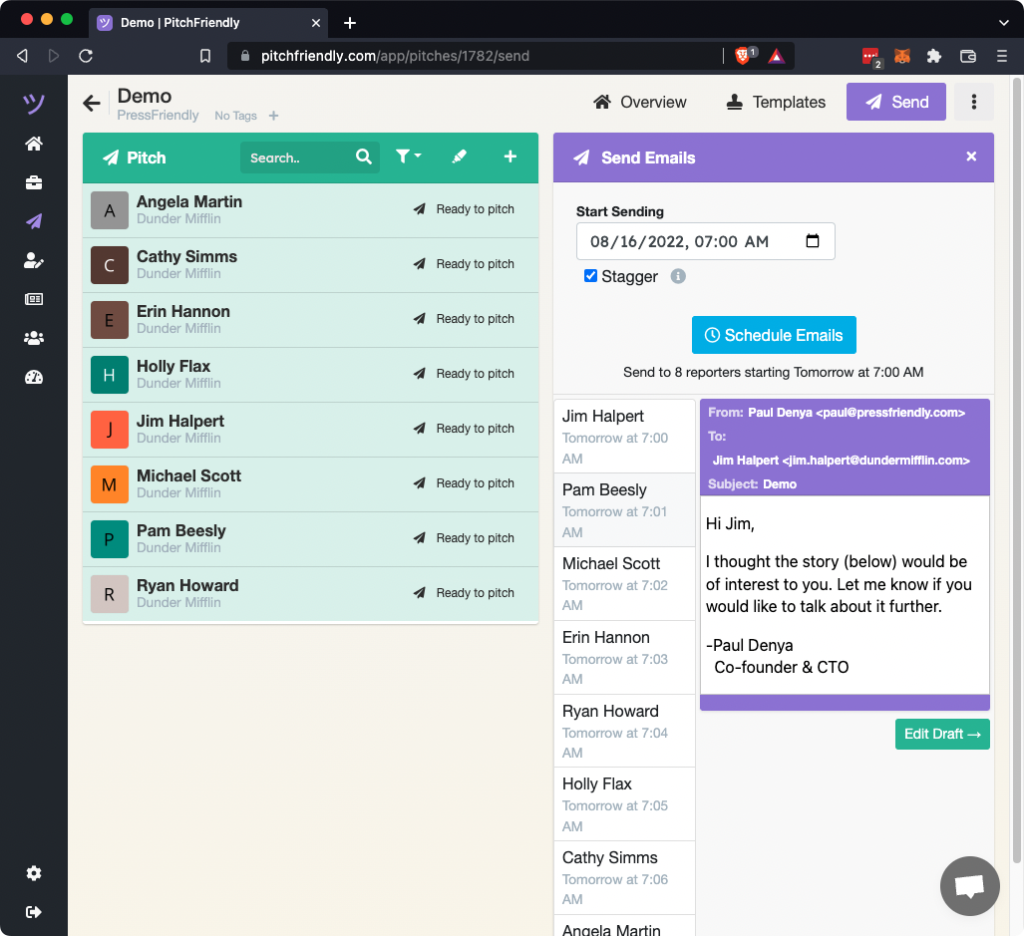
Review the batch and choose a send time
Inspect the selected drafts before scheduling.
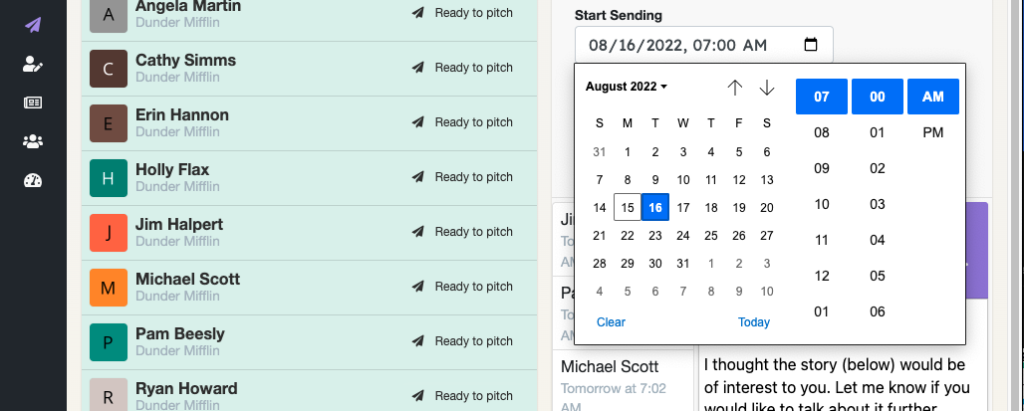
Use the calendar control to choose a specific date and time for sending to begin.
Select Schedule Emails and confirm the action.
Confirm scheduled status
The reporter status changes to Awaiting reply. A schedule icon indicates that the message is queued and has not been sent yet.
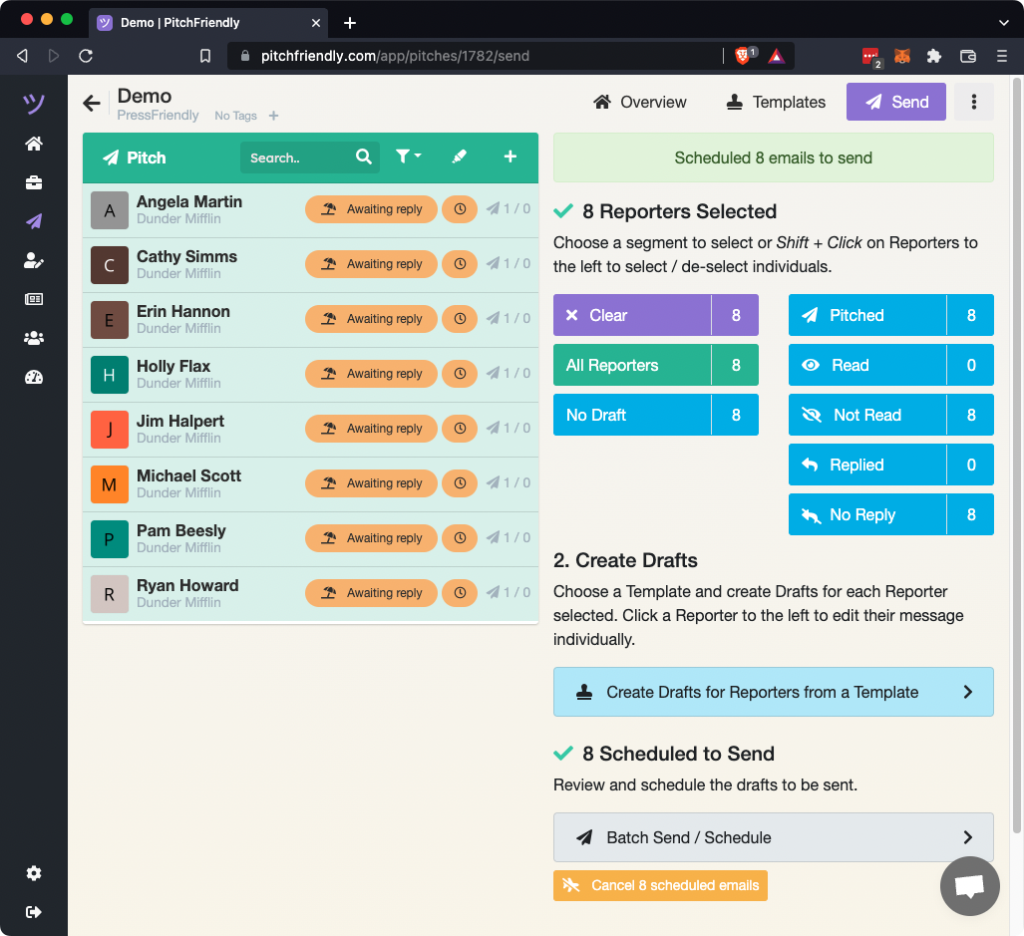
To change the send time for the selected reporters, use Cancel scheduled emails and schedule the returned drafts again. To cancel one message, follow Cancel a scheduled pitch email.