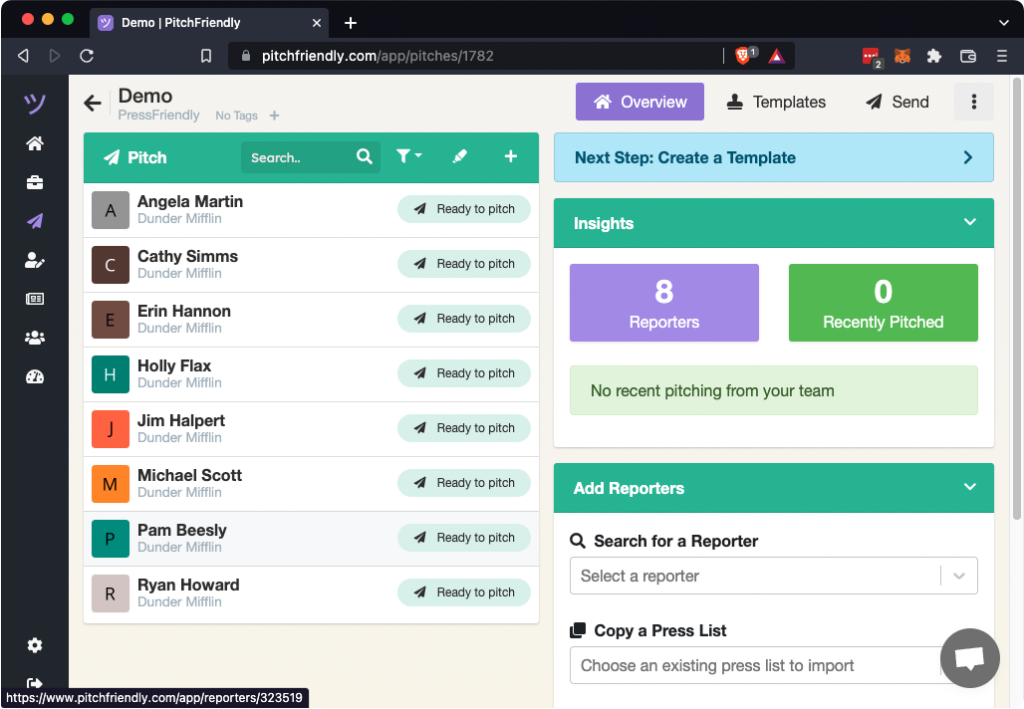
Import an existing reporter spreadsheet into a pitch from the pitches page.
Choose the spreadsheet
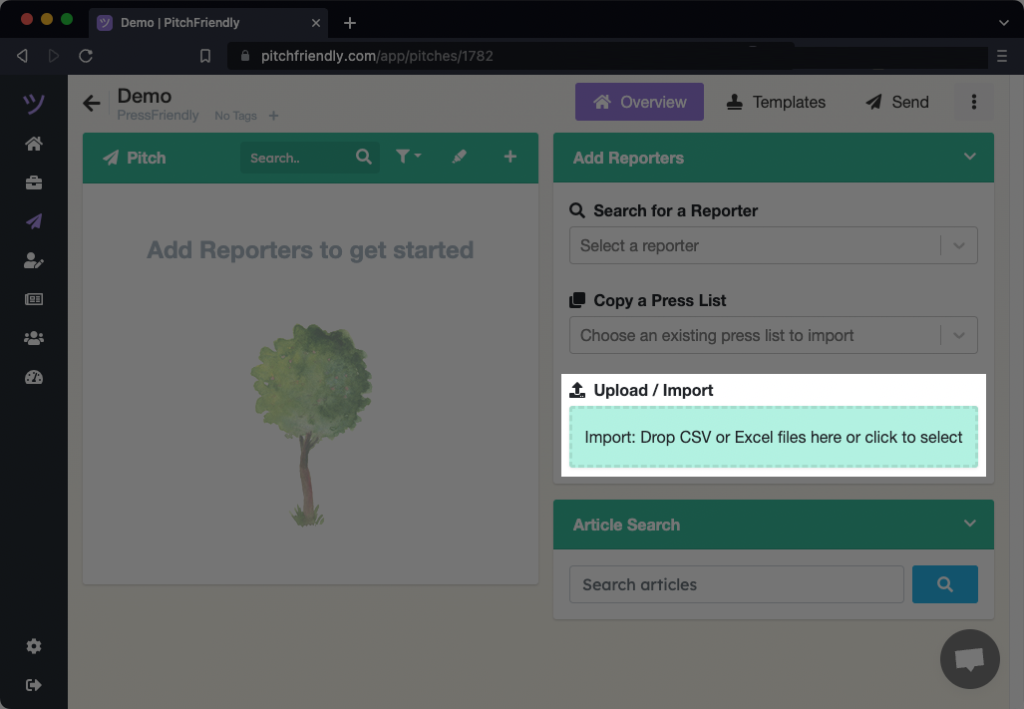
Open the pitch and find Upload / Import. Drag the file onto the upload area or select the area to open the file picker.
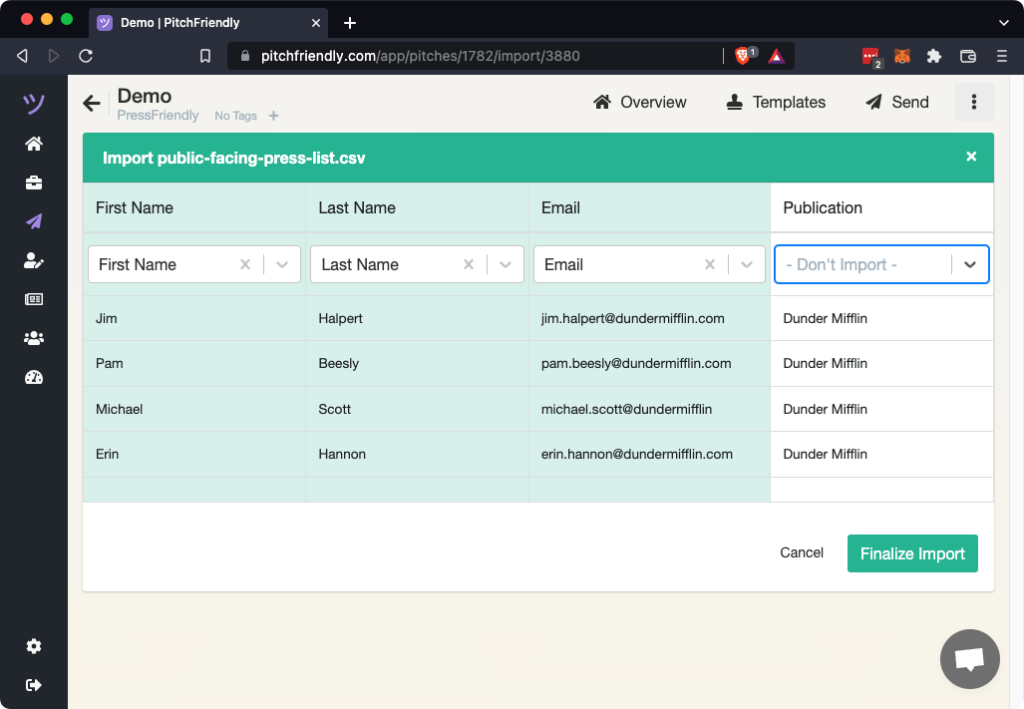
Map the uploaded columns
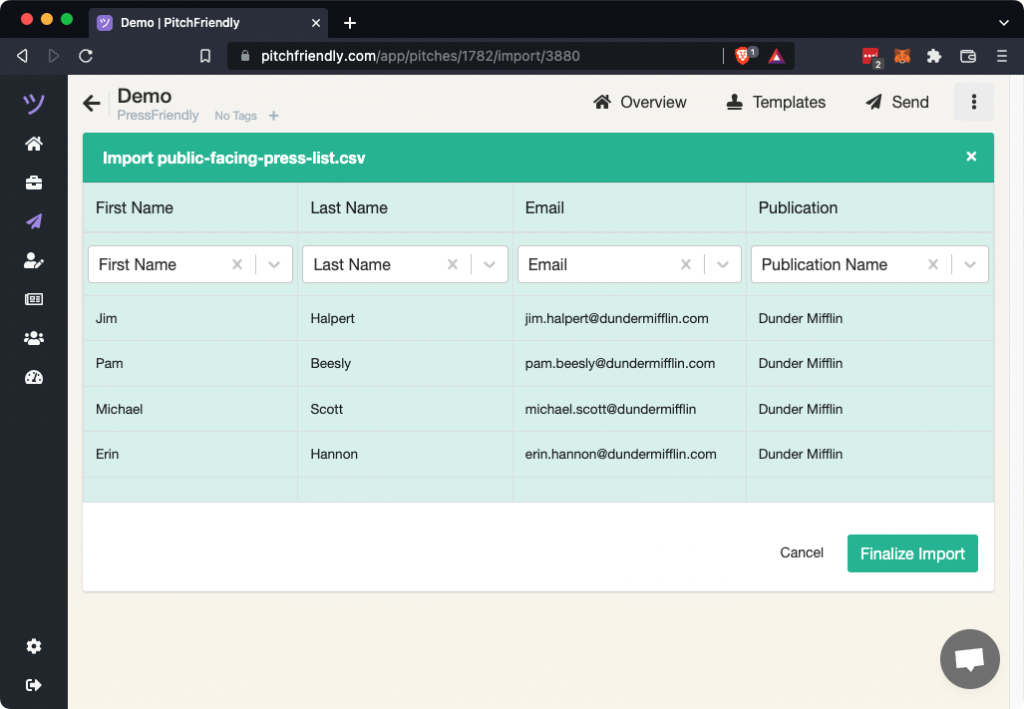
PitchFriendly displays the spreadsheet's column names in the first row and the destination data types in the second row.
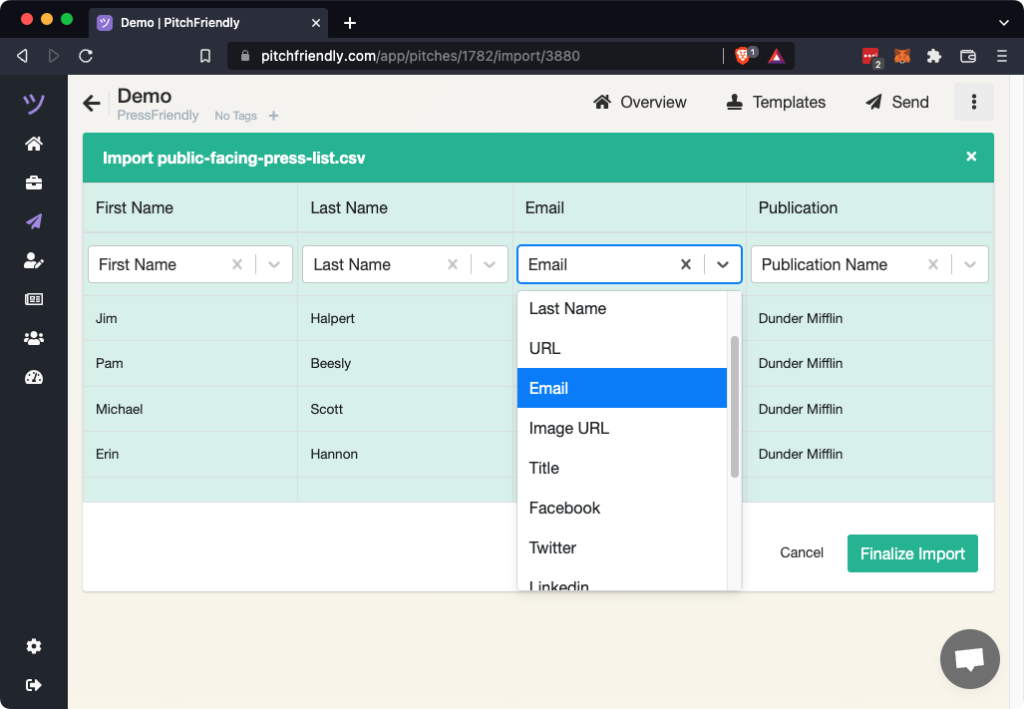
Choose the correct data type for each column. Imported fields become available for mail merge and appear with the reporter's other information. Enter a custom type if the menu does not include the required one.
Exclude columns you do not need
Choose Don't Import for any column that should not be saved. Retain fields that may be useful for research, personalization, or mail merge.
Finalize the import
Select Finalize Import. PitchFriendly returns to the pitch and displays the imported reporters and fields.